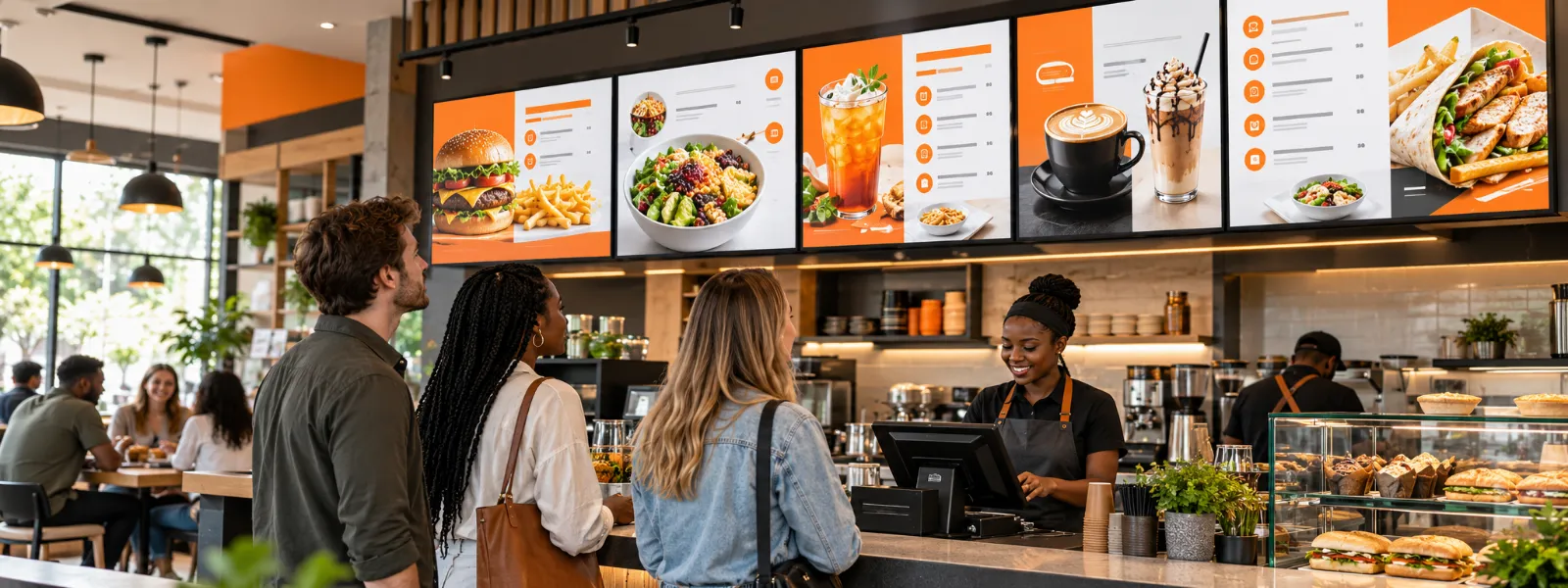
Digital menu screens can make a real difference to a restaurant, coffee shop, or takeaway, but you do not necessarily need to replace every menu. They are especially useful for front-facing menus and for promotions and offers that change throughout the day, while printed menus still have a place at the table, where customers may want to take their time and browse. For many restaurants the best approach is to use each format where it works best.
Where Do Digital Menu Screens Make Sense?
Digital menus are a natural fit at the point of sale, the area where customers decide what to order. Screens can make the space feel more modern and polished, draw attention to featured items, and help customers see current offers while they wait.
They are particularly useful when a restaurant has several menus or serves different items at different times of day. A coffee shop, for example, might show its breakfast menu in the morning and then switch to lunch, coffee, cold drinks, or food promotions later on, and with the right software, such as Imagine's scheduling tools, those changes can happen automatically.
Screens also make it easier to respond when something changes unexpectedly. If an item is out of stock, the menu can be updated remotely, instead of waiting for a printed menu to be changed or asking staff to explain the problem at the counter.
A Real-World Example: OK Urban Barista Brew
We work with OK Urban Barista Brewed, where the screens display coffee menus, cold drinks, food menus, and promotions. Those menus and prices can change, so digital displays make updates easier to manage, and if an item is unavailable the team can make a quick change remotely through Imagine Digital Signage. Staff do not have to worry about customers ordering something that is no longer in stock, and the same update can be kept consistent across stores.
That is one of the practical strengths of digital signage: it gives a restaurant more control over what customers see and when they see it, and for a multi-store business, managing updates centrally helps keep menus aligned across locations.
Can Digital Screens and Printed Menus Work Together?
Going digital does not have to mean removing every printed menu. A screen can work well for a menu above the counter, a promotion near the entrance, or a featured offer at the till, while printed menus can stay at tables, where customers may prefer to read at their own pace or look through a wider selection.
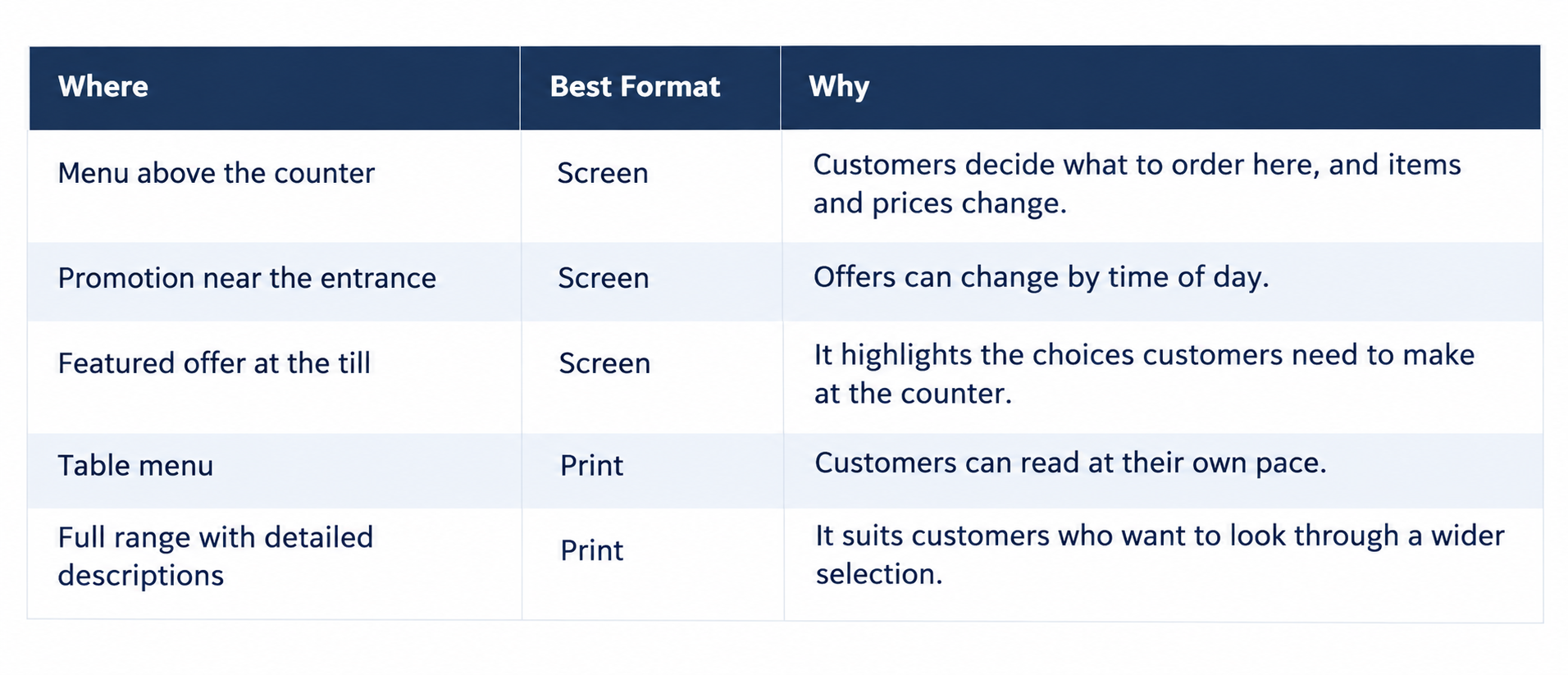 The decision is less about digital or print than about choosing the right format for each part of the customer experience.
What Should You Consider Before Switching?
A digital menu is only as good as the screen, the content, and the software behind it. Adding a screen is the easy part, while making sure the menu looks professional, is easy to read, and plays smoothly takes more thought.
- Choose the right screen for the setting. Think about the space, viewing distance, lighting, and brand. A premium restaurant may want a commercial-grade screen to match its environment, while a smaller business may need to work within a tighter budget, and a more affordable option can be a reasonable compromise as long as its limitations are understood. You can check which devices work with Imagine on the supported hardware page.
- Plan the orientation and layout. Decide whether landscape or portrait screens suit your menu and available wall space, and plan the design around the screen instead of squeezing it in as an afterthought.
- Keep playback comfortable to watch. Consider how long each menu or promotion stays on screen, because customers may not have time to read content that changes too quickly. Smooth playback and transitions matter too, since distracting pauses, choppy movement, or poor-quality visuals can make a screen feel less professional.
- Give the design proper attention. A crowded screen with too many competing promotions can be harder to use than a well-organised printed menu. Prices, product choices, and offers should be easy to scan, so the screen supports the customer's decision instead of getting in the way of it.
- Check the software as well as the hardware. Ask how easy it is to make changes, schedule different menus, manage multiple locations, and confirm that screens are working, and make sure the player and software handle the content reliably. Imagine's screen management features show whether each screen is online and what it is playing.
For more on layout, dayparting, and multi-location control, see our guide to digital menu boards in South Africa.
What Is the Return on Investment?
The value of digital menus is not always captured by one simple calculation. Part of the return comes from easier updates and more consistent information across locations, and screens can also improve the look of a restaurant, engage customers, and give promotions greater visibility.
Dayparted content can help a restaurant show relevant items at the right time, with a breakfast offer in the morning and a different menu later in the day. A well-placed promotion may also encourage customers to notice an item they had not planned to order, and these things can contribute to sales, although results depend on the restaurant, its offer, and how effectively the screens are used.
For a single-site business it may make sense to start with one prominent screen, while for a chain, central management and consistent updates across stores may be a bigger part of the value.
How Do You Start Small and See How It Works?
You do not have to transform the whole restaurant at once. Try digitising a poster or a front-facing menu first, choose a screen in a place where customers will see it, create clear content, and see how it fits into the space and your daily operation.
A simple trial can show whether the format suits your restaurant, what customers notice, and what your team needs from the system, and you can then decide whether to add more screens or keep printed menus in some areas.
Why Does Real-World Experience Matter?
We have managed digital screens for more than 15 years, and Imagine Digital Signage was built from what we learned working with real networks and real businesses, with experienced people available to help when you need them. Its Canva integration also lets customers create designs as well as schedule and play them.
That experience has taught us that digital menus work best when the technology, design, and day-to-day process are considered together. Screens earn their place when they present the right content clearly, make updates easier, and improve the customer experience, so a restaurant should add them for those reasons instead of for the sake of having screens.
So, should you replace your menus with digital screens? Consider using screens for front-facing menus, changing offers, and content that needs regular updates, while keeping printed menus where they still serve customers well. Start with one screen, learn from the experience, and build from there, and when you are ready you can register for a free plan.
---
Frequently Asked Questions
How do you stop customers ordering an item that is out of stock?
Update the menu remotely, and once the players are online the change reaches your screens without anyone visiting the store, so staff do not have to explain at the counter that an item has run out. The same update can be published to every store, which keeps menus consistent across locations. Imagine's screen management features show whether each screen is online and what it is playing, so you can confirm the change has landed.
Should a coffee shop use portrait or landscape menu screens?
It depends on your menu and the wall space available, so decide on orientation first and plan the design around the screen instead of squeezing the menu into it afterwards. Imagine supports both orientations, and you can mix landscape and portrait screens in the same account.
Does a premium restaurant need commercial-grade screens?
A premium restaurant may want commercial-grade screens to match the quality of its environment. A smaller business can work within a tighter budget, and a more affordable screen is a reasonable compromise as long as you understand its limitations. Our guide to the best digital signage hardware explains what to check.
Is one screen enough to test digital menus?
Yes. Start with one prominent screen, such as a front-facing menu or a digitised poster, and see how customers and staff respond before adding more. Imagine has a free Starter plan for your first screen, so the software side of a trial costs nothing, and you can compare the Imagine pricing plans when you are ready to grow.
What should you ask a software provider before switching menus?
Ask how easy it is to make changes, schedule different menus, manage several locations, and confirm that screens are working, and check that the player and software handle your content reliably with smooth transitions. A short trial on your own menu will show most of this, and the Knowledge Centre's guide to choosing digital signage software lists more questions to ask.