Android
Version 1.0.0 · Android 7.0 or later
Use compatible Android media players, boxes, and Android-based displays
Imagine is digital signage software that lets you create, schedule and publish content to every screen from one place, then watch it play live. Portrait or landscape, LG webOS or Android, online or offline.





 Harbour Hotel Dashboard
Play Tutorial
2
SJ
Sarah Jacobs
Harbour Hotel
Harbour Hotel Dashboard
Play Tutorial
2
SJ
Sarah Jacobs
Harbour Hotel
24
All screens on this CMS
Devices
Content
23
95.8% of total screens
Screens last connected
1
4.2% of total screens
Offline for
Percentages are of the screens that are offline.
Excellent
95.8% average uptime
Right now
Rating
Health is the share of your screens that are online right now.
You are using 24 of 25 paid licences (96%)
Professional plan
Manage PlanSchedule content by day and time
Included in your plan

Publish changes
Are you sure you would like to save your changes? Once published, these changes will be pushed to the screens this playlist is assigned to. Are you sure?
 2
SJ
2
SJ
24
All screens on this CMS
Devices
Content
23
95.8% of total screens
Screens last connected
1
4.2% of total screens
Offline for
Percentages are of the screens that are offline.
Excellent
95.8% average uptime
Right now
Rating
Health is the share of your screens that are online right now.
Publish changes
Are you sure you would like to save your changes? Once published, these changes will be pushed to the screens this playlist is assigned to. Are you sure?
Imagine operates on both Android & LG webOS devices with stable playback and smooth content transitions across both platforms.
Version 1.0.0 · Android 7.0 or later
Use compatible Android media players, boxes, and Android-based displays
Version 1.0.0 · LG webOS Signage
Install Imagine directly on compatible LG webOS commercial displays, with no external media player required.
In development · Samsung SSSP displays
Run Imagine natively on compatible Samsung Tizen commercial displays without adding a separate player.
Keep every screen current, consistent, and under your control, no matter how large your network becomes.
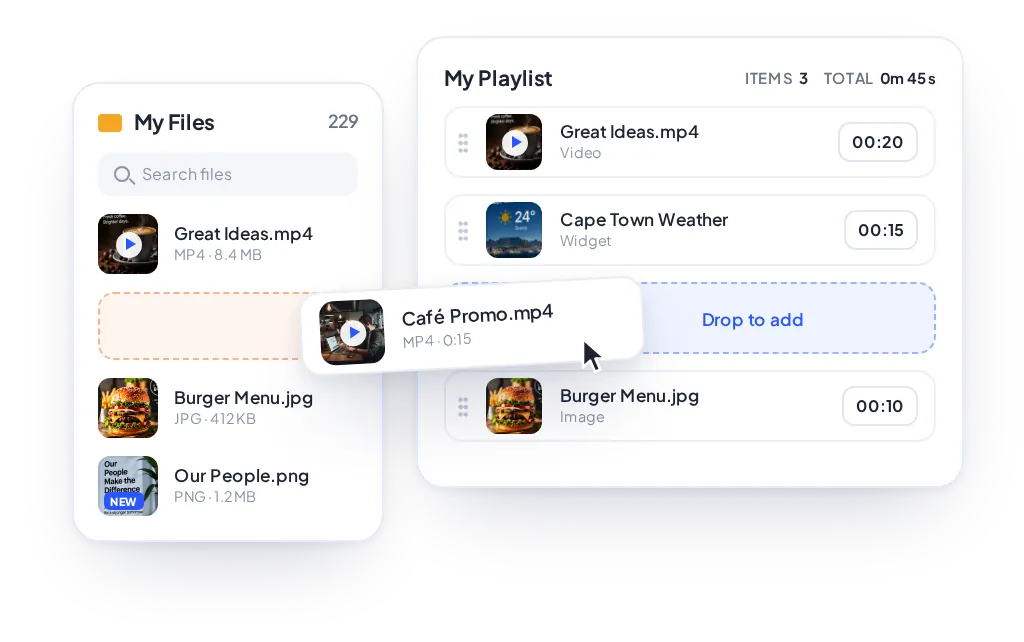
Create and manage content with ease. Build custom playlists, drag and drop your own images and videos, or design directly in Canva. Organise everything in one place and get fresh, engaging content onto your screens in minutes.
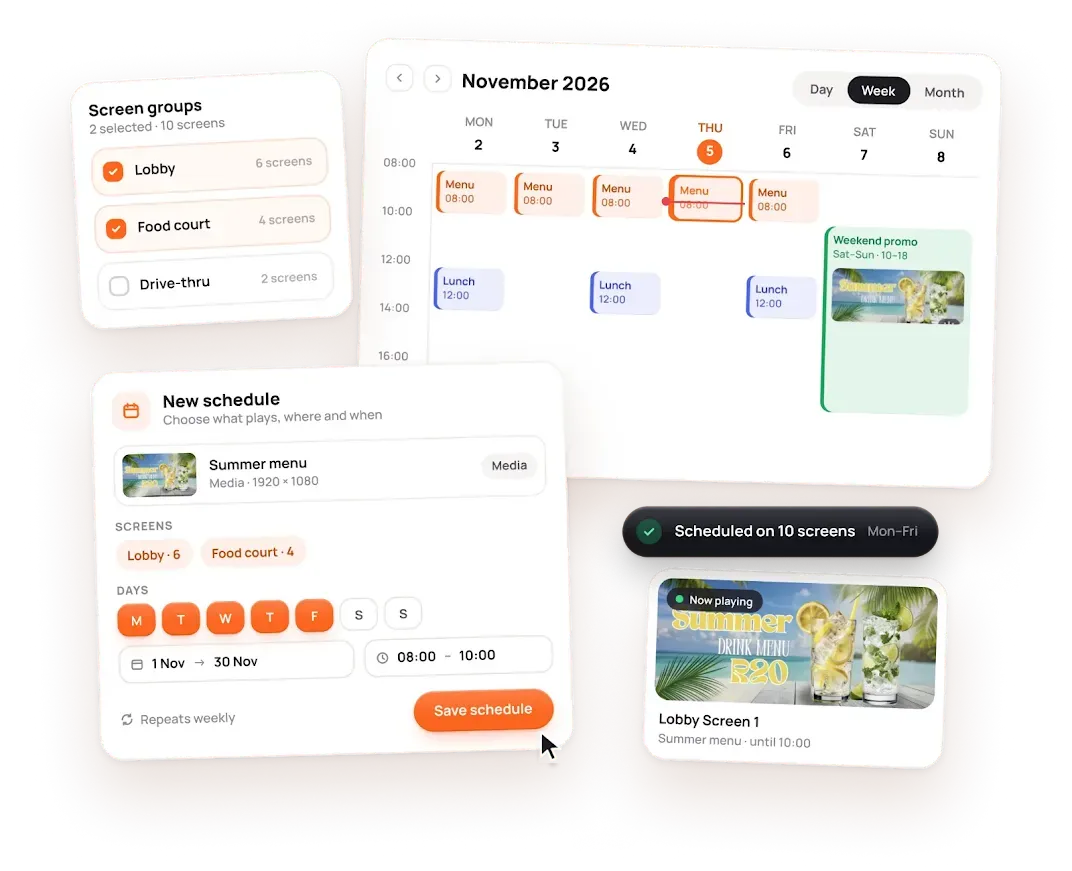
Take complete control of when and where your content plays. Schedule any media, playlist or content across individual screens or groups, for specific days, dates and times of day.
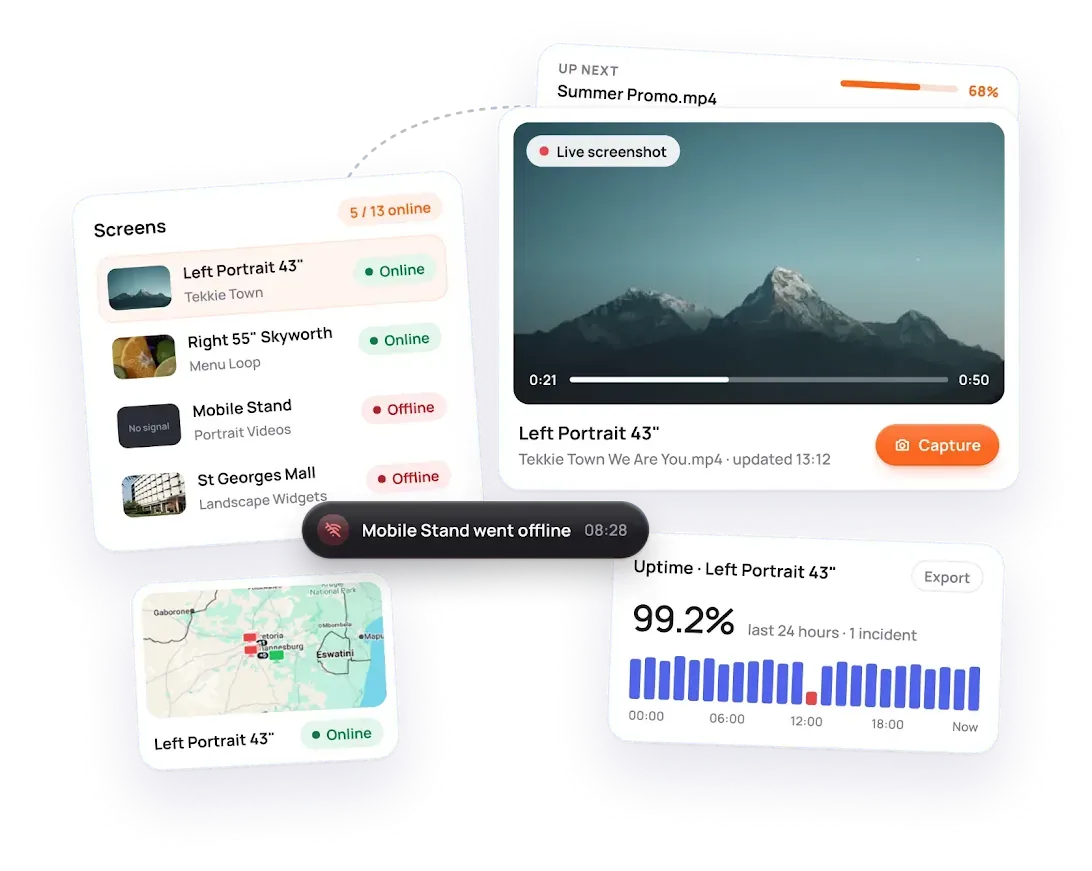
Stay on top of your entire screen network. View real-time screen status, capture screenshots and receive notifications when connections drop. For added assurance, track proof of play with detailed playback reports and exportable data.
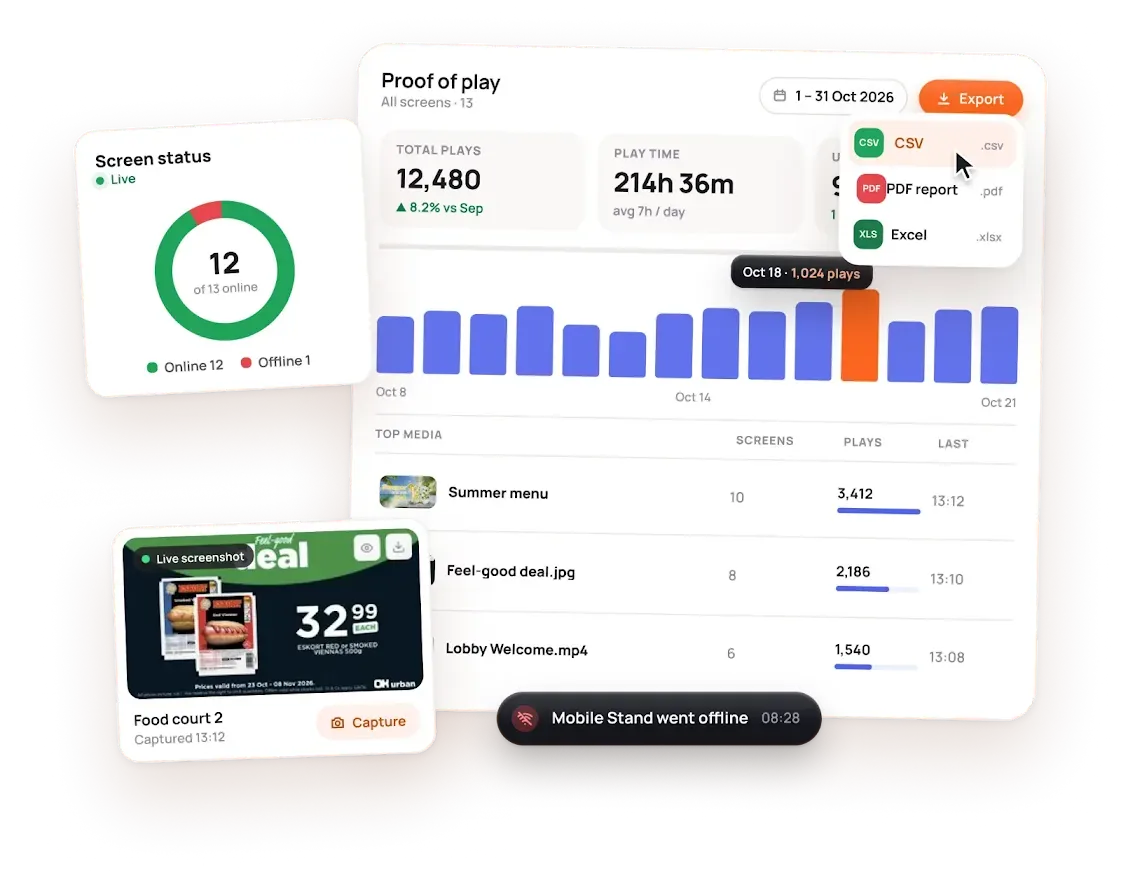
Know exactly what played, where and for how long. Track proof of play, screen uptime and user activity, then export branded PDF or Excel reports for your clients and stakeholders in a click.
Dive deeper into our comprehensive and intuitive dashboard for desktop and mobile.
Schedule a call with an Imagine team member; we believe there is no such thing as a dumb question.
Join the businesses already running their screens on Imagine. Register in minutes, or book a demo and we'll show you around.